
Digital Campus ID

We are excited to announce that the college is transitioning to a new, secure, and convenient digital ID system. You can now add your college ID to your Wallet on your iPhone, Apple Watch, Android Phone, and Android Watch.
What is the Digital Campus ID
Your Digital ID provides the same access as your physical card, but allows you to tap your device to enter buildings, pay for meals, and use library services.
Key Benefits
- Convenience: Hold your iPhone or Android device near a reader to tap and go.
- Security: Your ID is stored securely in the app on your device, requiring Face ID or Touch ID.
- No Contact: A fast, contactless experience.
How to Setup
Go to the App Store and download TouchNet 360u.
- Open the app and search for SUNY Maritime when prompted to select your school.
- Click on the Log in button under Account Type: SSO
- You will use your Maritime email credentials to sign in.


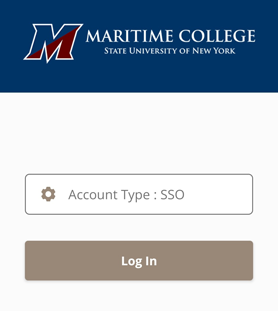
- Open the app and search for SUNY Maritime when prompted to select your school.
- Click on the Log in button under Account Type: SSO
- Use your Maritime email credentials to sign in.
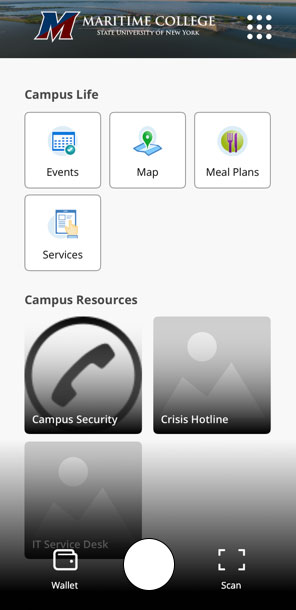
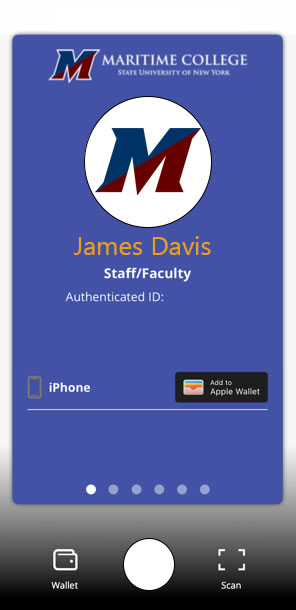
Once logged into the app, click on your profile picture (not the Wallet icon on the bottom left) and select Add to Wallet.
To enter buildings or pay for meals on campus, hold your device close to the door reader or Point of Sale reader – no need to unlock your phone and bring up the wallet.
For door access, allow half a second for the door to unlock after you provide your credentials.
If you experience any issues, please submit a ticket to servicedesk@sunymaritime.edu and the IT service desk will assist.